
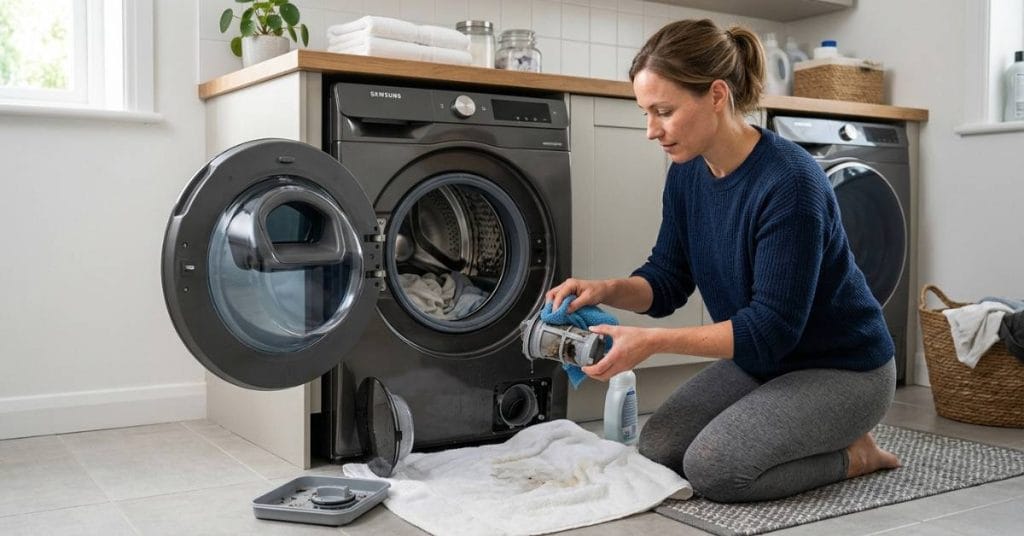
Most people only think about cleaning their clothes when they use their washing machine, but very few people think about cleaning the washing machine itself. Over time, lint, dirt, hair, detergent residue, coins, and small debris slowly build up inside the washer filter. When this happens, your Samsung washing machine may drain slowly, leaving your clothes dirty, producing odors, or even displaying error codes.
Many homeowners panic when their washer suddenly stops draining water or starts making unusual noises. In reality, the problem is often related to a clogged filter. Learning how to properly clean Samsung washing machine filter can improve cleaning performance, prevent water drainage problems, reduce odor buildup, and extend the life of the machine.
Samsung washers are designed with filters that trap dirt before it reaches sensitive internal components. However, these filters require regular maintenance to function properly. Ignoring them for long periods of time can lead to water flow problems, strain on the pump, and the need for costly repairs.
This complete guide explains everything you need to know about cleaning your Samsung washer filter, locating the filter, preventing future problems, and maintaining your washing machine for long-term performance.
Why Samsung Washing Machine Filters Get Dirty
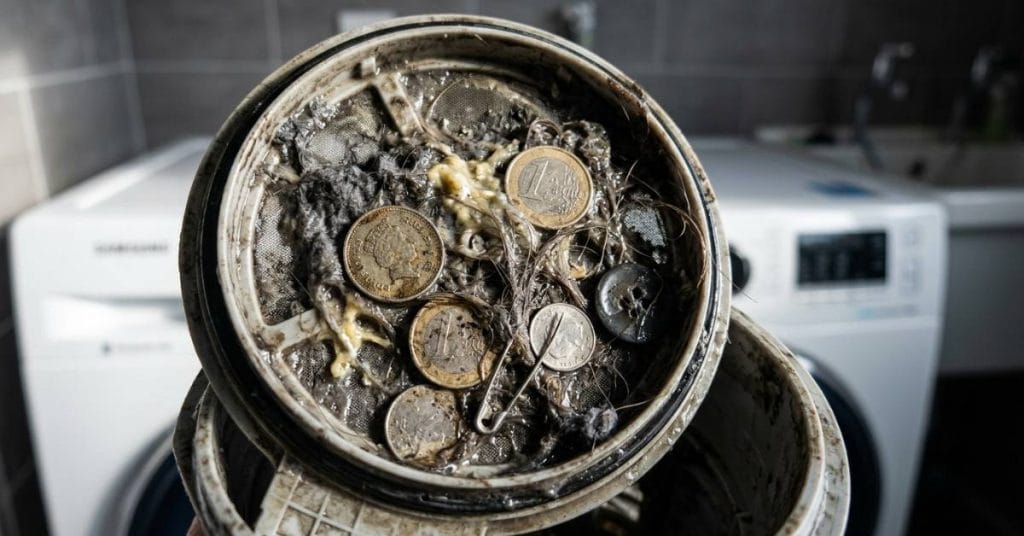
After each wash cycle, small particles remain inside the machine. Lint, hair, pet dander, detergent residue, and small objects from pockets all move through the washer system as the machine runs. The filter is designed to catch this dirt before it can damage the drain pump or block the water flow.
The problem is that filters gradually fill up with excess dirt. Many users don’t realize how much dirt is inside until they start having problems draining water. Some homeowners don’t clean the filter for years because they don’t even know it exists.
The problem is exacerbated by washing a lot of clothes. Washing blankets, towels, pet bedding, or heavily soiled clothing can collect more lint and dirt than regular clothes. Using too much detergent can also cause dirt to build up inside the filter system.
Once the filter is clogged, water can’t move properly through the machine. This can affect water drainage, spinning, washing performance, and overall cleaning quality.
Common Signs Your Samsung Washer Filter Needs Cleaning
A clogged washer filter doesn’t usually happen suddenly. Most machines give warning signs before a major problem occurs.
One of the most common symptoms is delayed drainage. Water may remain in the drum after the cycle is over, or the washer may take longer than usual to complete the drain.
Another common problem is a bad odor. Dirt, detergent residue, and trapped moisture inside the filter create an environment where mold and bacteria can grow. Many users notice a musty odor even after taking freshly washed clothes out of the machine.
It’s also common to hear strange noises while draining. If dirt clogs the filter or pump, the washer may make a grinding sound as it tries to drain the water.
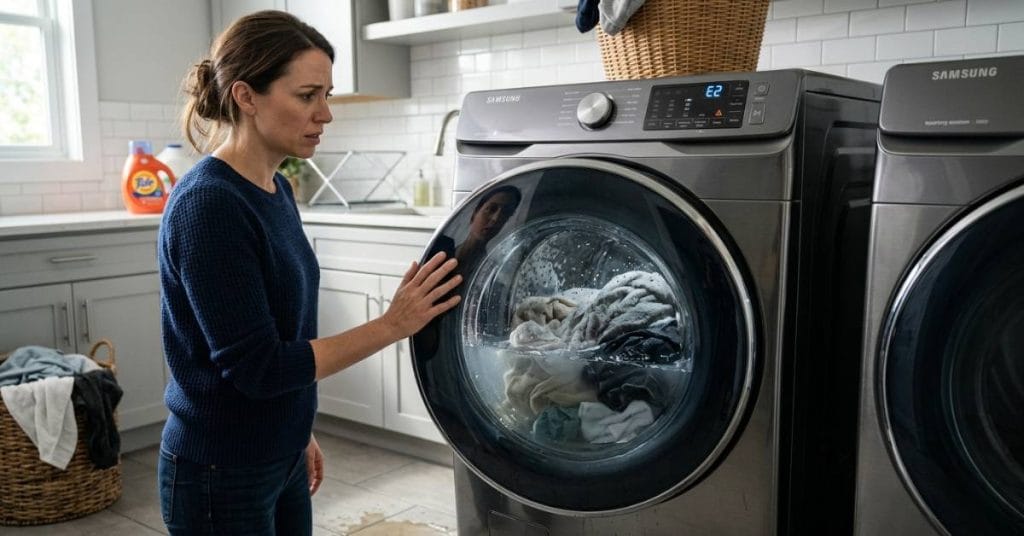
Some Samsung washers may even display a drain-related error code. These codes often appear when water is not moving properly through the drain system.
Reduced cleaning power is another hidden symptom. When the drain is blocked, detergent and dirty water may not be washed away properly, resulting in clothes that are less fresh after washing.
How to Clean Samsung Washing Machine Filter Safely
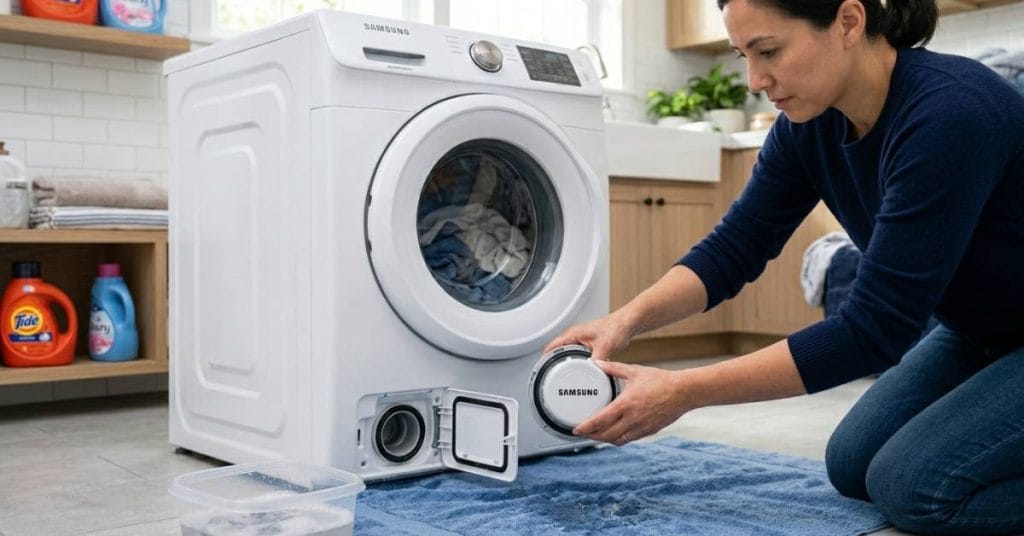
Before cleaning the filter, always unplug the washing machine from the power outlet for safety reasons. Although cleaning the filter is easy, disconnecting the power cord can prevent electrical hazards.
Most front-load Samsung washers have a small access panel near the bottom of the front of the machine. Opening this panel reveals the drain filter and emergency drain hose.
Before removing the filter, place a towel or a shallow container under the access area, as any remaining water inside the machine may spill out. Many users underestimate how much water is trapped inside the system.
Before removing the filter completely, the emergency drain hose allows for controlled drainage. After draining the excess water, slowly turn the filter counterclockwise and carefully pull it out.
Once removed, many are surprised by the amount of dirt trapped inside. Lint, hair, coins, buttons, and detergent residue typically accumulate inside the filter housing.
Rinse the filter thoroughly under warm running water. A soft brush or an old toothbrush helps remove stubborn dirt from the mesh surface. It is also important to clean the inside of the filter compartment, as moss and dirt can accumulate inside the housing area. After cleaning, reattach the filter securely and close the access panel before restarting the machine.
After cleaning, reattach the filter securely and close the access panel before restarting the machine.
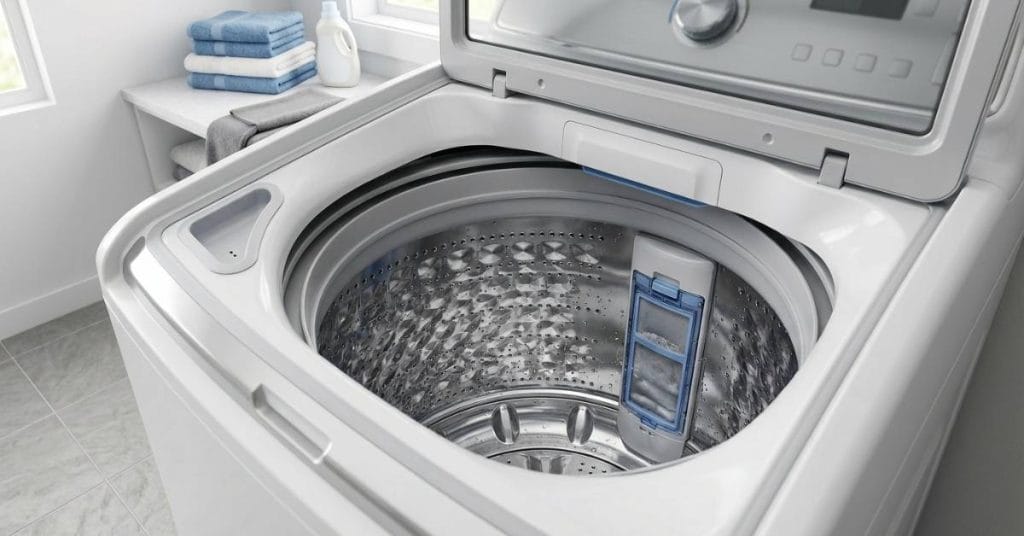
Samsung Top Load Washer Filter Location
Many users have trouble locating the filter on their Samsung top-load washer, as top-load models are designed differently from front-load machines.
Unlike front-load washers, many Samsung top-load washers use a lint filter inside the drum instead of an external drain filter. These filters are usually mounted on the side wall of the drum or near the agitator section.
Depending on the design, some newer high-efficiency top-load models may also have an additional pump filter inside.
The lint filter inside a top-load washer collects particles of fabric during washing. Removing and washing this filter regularly improves water circulation and washing performance.
Since Samsung uses different designs for different washer models, some users mistakenly assume that their machine does not have a filter. Consulting the user manual or carefully examining the inside of the drum usually helps to locate the filter.

Real Problems Caused by a Dirty Washer Filter
Many washing machine problems that seem serious are actually caused by neglected filters.
One major problem is a failure to drain water. When the water can’t drain properly, the washer may stop halfway through, or the clothes may not spin completely.
Drain pumps are particularly vulnerable to damage when the filter is clogged. The pumps have to work harder to push water through the narrow passage, which increases the risk of component wear and overheating.
Bad odors are another annoying problem. Dirty filters trap moisture and detergent residue, creating the perfect environment for mold to grow. Many users clean their washer drum repeatedly, but they don’t realize that the filter is the real source of the odor.
Error codes are also often displayed when the filter is clogged. Samsung washers use sensors to monitor water movement and drain time. If the water drains too slowly, the machine may display a warning code or stop working altogether.
In severe cases, a dirty filter can cause leakage problems, as the water flow is obstructed, creating a pressure imbalance within the system.
How Often Should You Clean a Samsung Washer Filter?
How often you need to clean the filter depends on your laundry habits. Households that wash clothes daily or clean pet bedding frequently may need to clean their filter monthly.
For general use, experts generally recommend checking the filter every one to three months. Waiting until a problem occurs is not ideal, as its effectiveness usually gradually decreases before users notice serious symptoms.
If you regularly wash very dirty items, checking the filter more frequently can help prevent serious dirt buildup.
For users with hard water, dirt can build up quickly inside the washer’s components, making regular maintenance even more important.
How to Clean Washer Filter Without Damaging the Machine
Many homeowners use sharp objects or harsh chemicals to clean the filter too vigorously. This can damage the filter mesh or the inner lining.
Warm water and a soft brush are usually sufficient for proper cleaning. Do not try to force the filter open if it seems clogged, as excessive pressure can damage its screws or seals.
After refitting the filter, always check that it is fully secured. A loose fit can cause water to leak during future washes. A short rinse afterwards helps to ensure that the machine is draining properly and that there are no holes.

Preventing Future Washer Filter Problems
It’s easier to prevent dirt buildup than to deal with serious problems later.
Checking pockets before washing reduces the amount of coins, tissues, and small objects that enter the washer system. Using the correct amount of HE detergent also reduces dirt buildup inside the machine.
Regular drum cleaning cycles improve the overall cleanliness of the washer and reduce mold growth around the filter and drain components.
Leaving the washer door slightly open after use allows moisture to escape, which helps prevent mold from building up inside the drum and filter system.
Small maintenance habits may seem insignificant, but over time, they significantly improve the life of the machine and its washing performance.
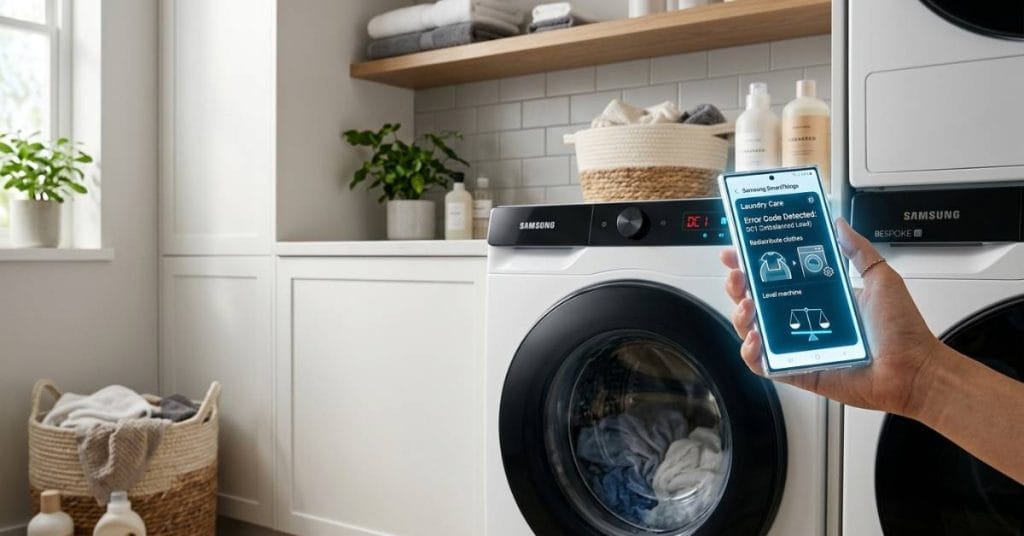
Smart Laundry Tools Make Maintenance Easier
Many users struggle to diagnose washer problems because the symptoms are often similar. Draining problems, error codes, and spin cycle failures can all seem similar.
Washly provides a washing machine troubleshooting guide, cycle calculator, and washer error code tool, which help users diagnose problems more accurately. This allows users to quickly identify potential causes instead of guessing and avoid unnecessary repair costs.
Along with regular maintenance, using smart laundry tools makes your laundry experience more efficient and reliable.
Final Thoughts on Cleaning Samsung Washer Filters
Understanding how to properly clean a Samsung washing machine filter is one of the easiest yet most important maintenance tasks for homeowners.
A clean filter improves water drainage, reduces odors, protects the pump system, and helps clothes come out cleaner after every wash. Ignoring filter maintenance can eventually lead to problems like reduced machine performance, failure to drain water, error codes, and costly repairs.
The good news is that cleaning the filter usually only takes a few minutes, but it can prevent major problems later.
Whether you have a Samsung front-load or top-load washer, regular filter maintenance helps your machine run smoother, cleaner, and more efficiently for years to come.